Pinterest Tips for Beginners 2026: How to Grow Traffic Fast
Pinterest is more than a platform for saving images and discovering ideas— it’s a powerful visual search engine that helps beginners grow their audience, boost engagement, and drive traffic to their website or blog. Unlike other social media platforms, Pinterest users are actively searching for solutions, inspiration, and content they can use, which makes it the perfect place for beginners to share their ideas and reach the right audience.
Getting started on Pinterest can feel a bit tricky at first, but with the right approach, it can become a steady source of free traffic. Once you understand how Pinterest works and apply a few simple strategies, you can optimize your profile, create content that clicks, and start attracting followers right away.
Key Takeaways:
- Pinterest acts as a visual search engine rather than just a social platform.
- It’s perfect for beginners because it can drive consistent traffic with small audiences.
- Ideal for blogs, websites, and online businesses looking to grow traffic and engagement.
- Pins have long-term value, often bringing traffic for months.
Why Pinterest Is Perfect for Beginners
Pinterest stands out as one of the easiest platforms for beginners to grow their online presence. Unlike fast-moving social media feeds, content on Pinterest has long-term visibility, which means your pins can continue driving traffic for months or even years. This long-term visibility makes Pinterest a smart choice for anyone starting a blog, website, or small business.
For bloggers and online businesses, Pinterest can bring targeted visitors who are actively searching for ideas, products, or inspiration. By designing visually appealing pins and using the right keywords, beginners can start getting traffic and followers without a huge audience.
Another major advantage is that Pinterest supports a content strategy that grows over time. With consistent pinning and high-quality visuals, your content can keep attracting visitors, increasing engagement, and boosting brand awareness long after it’s published. This long-term potential gives beginners a real advantage over other platforms.
How Pinterest Works to Drive Traffic
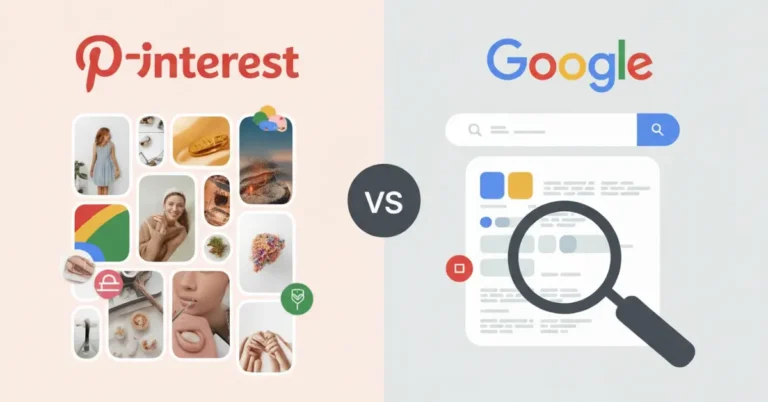
Pinterest works differently from traditional social media platforms. Instead of focusing on likes or followers, it functions as a search and discovery platform where users actively look for ideas, solutions, and inspiration. This search-driven behavior is what makes Pinterest so effective for driving consistent traffic.
When someone searches on Pinterest, the Pinterest algorithm analyzes keywords, pin quality, engagement, and relevance to decide which pins appear first. Pins that are optimized with clear titles, descriptions, and visuals are more likely to show up in search results, even if the account is new. This is why understanding Pinterest SEO basics is essential for beginners who want traffic.
User mindset also plays a big role. People on Pinterest are not just scrolling for entertainment—they’re planning, saving, and taking action. Whether they’re looking for blog tips, tools, or tutorials, they’re more likely to click through to a website if the pin matches their intent.
Content discovery on Pinterest happens in multiple ways: search results, home feed recommendations, related pins, and saved boards. With the right keywords and consistent pinning, your content can reach new users continuously, making Pinterest a powerful traffic source even without paid ads.
Setting Up Pinterest for Success
Before you start posting pins, it’s important to set up your Pinterest account the right way. A well-optimized profile helps Pinterest understand your content and increases your chances of appearing in search results. This foundation plays a key role in how much traffic you can generate over time.
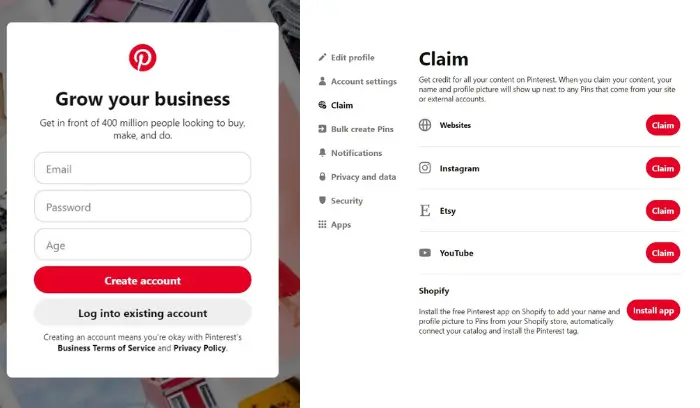
Start by using a Pinterest Business account. It gives you access to analytics, allows you to claim your website, and helps the Pinterest algorithm better match your content with the right audience. Make sure your profile name and bio clearly explain what your account is about, using relevant keywords related to your niche.
Next, organize your boards strategically. Create boards around specific topics your audience searches for and write clear, keyword-focused board descriptions. Avoid vague board names and focus on topics that match your blog or website content. Well-structured boards help Pinterest categorize your pins and improve discoverability.
Finally, optimize your website for Pinterest. Claim your domain, enable rich pins, and ensure your site has high-quality, vertical images that are easy to save. When Pinterest can properly read and trust your website, it becomes easier for your pins to rank, get saved, and drive consistent traffic.
Create a Business Account
Creating a Pinterest Business account is the first step toward using Pinterest as a traffic source. Unlike a personal account, a business account gives you access to Pinterest Analytics, Rich Pins, and website claiming features—all essential for growth.
A business account helps Pinterest understand your content better and show your pins to people who are searching for related topics. It also allows you to track which pins perform well, how users interact with your content, and where your traffic comes from. This data is valuable for improving your strategy over time.
Setting up a business account is free and only takes a few minutes. You can convert an existing personal account or create a new one. Make sure to choose a business name that reflects your niche and add a short description with relevant keywords so your profile is easy to discover.
For beginners, starting with a business account puts you in the best position to grow consistently, understand your audience, and turn Pinterest into a reliable traffic channel.
Optimize Your Profile and Bio
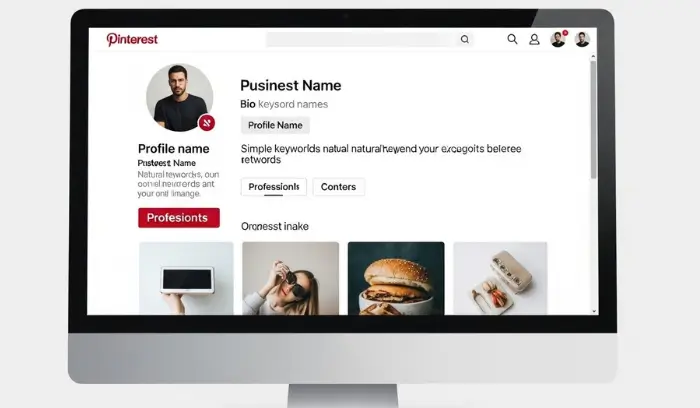
Your Pinterest profile is often the first thing users and the Pinterest algorithm see, so optimizing it correctly is essential. A clear and keyword-focused profile helps Pinterest understand what your content is about and improves your visibility in search results.
Start with your profile name. Instead of using only a brand name, add a short description of what you offer. For example, include keywords related to your niche so your profile appears when people search on Pinterest.
Next, write a simple and informative bio. Explain who you help and what type of content you share, using natural keywords without overstuffing. Keep it easy to read and focused on value rather than promotion.
Don’t forget your profile image. Use a clear logo or professional photo that looks good on both desktop and mobile. A recognizable image builds trust and makes your profile feel more credible.
When your profile and bio are optimized, Pinterest can categorize your account correctly, helping your pins reach the right audience and drive more traffic to your website.
Create Boards That Attract Followers
Boards play a major role in how Pinterest organizes and shows your content. Well-structured boards make it easier for users to follow you and help the Pinterest algorithm understand what topics you cover.
Start by creating boards around specific, searchable topics instead of broad or generic names. Choose board titles that match what users actually search for on Pinterest. Clear, keyword-focused board names improve visibility and attract the right audience.
Each board should have a short but descriptive board description. Explain what type of content users will find, and naturally include relevant keywords. This helps Pinterest categorize your board correctly and increases the chances of your pins appearing in search results.
Pin consistently to your boards and keep them organized. Avoid creating too many boards at once—focus on quality over quantity. When your boards look active, relevant, and well-defined, people are more likely to follow them and engage with your content.
Strong boards not only attract followers but also help your pins reach more people, making them a key part of a successful Pinterest traffic strategy.
Pinterest SEO Basics for Beginners
Pinterest SEO is all about helping your content get discovered through search. Since Pinterest works like a visual search engine, using the right keywords in the right places makes a big difference in how much traffic your pins can generate.
Start with keyword research on Pinterest itself. Use the search bar to see suggested phrases and related terms—these are real searches people make. Focus on keywords that match your content and have clear intent rather than broad or vague terms.
Next, optimize key areas of your pins. Add keywords naturally to your pin title, description, board name, and board description. Avoid keyword stuffing; write for people first while making it easy for the Pinterest algorithm to understand your content.
Visual quality also matters. The Pinterest algorithm favors pins that get saved and clicked, so use clear images, readable text overlays, and vertical designs. When users engage with your pins, Pinterest is more likely to show them to a wider audience.
By mastering these Pinterest SEO basics, beginners can improve visibility, reach the right users, and start driving consistent traffic without relying on ads.
Creating Content That Gets Traffic
Creating pins that attract clicks and drive traffic is the heart of a successful Pinterest strategy. On Pinterest, content isn’t just about posting images—it’s about solving problems, inspiring action, and matching what your audience is searching for.
1. Design Pins That Stand Out
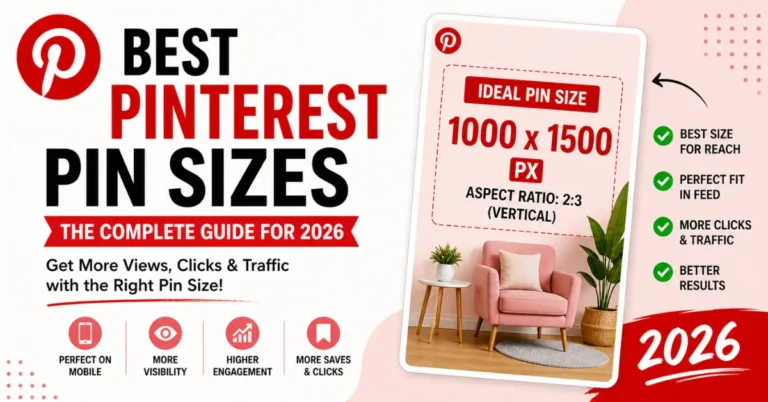
Use high-quality vertical images with a 2:3 ratio. Add clear, readable text overlays that describe the value of your pin. Bold colors, contrast, and clean design help your pins catch attention in crowded feeds.
2. Use Keywords Strategically
Pinterest is a search-driven platform, so every pin should include relevant keywords in the title, description, and board name. Research terms that your target audience searches for and include them naturally—this improves visibility and traffic potential.
3. Focus on Content Types That Work
Different types of pins perform differently:
- How-to guides and tutorials
- Tips and lists
- Infographics
- Video pins
Experiment with formats and track what gets the most clicks and saves.
4. Create a Consistent Pinning Schedule
Consistency is key on Pinterest. Aim to pin daily or several times a week. Use a mix of your own content and curated pins from other creators in your niche. Over time, consistent pinning improves your reach and establishes authority.
5. Match Content to User Intent
Think like your audience: What are they looking for? Pins that answer questions, provide solutions, or teach something useful are more likely to be saved and clicked, which signals Pinterest to show your content to more users.
Pin Design Tips for Beginners
The design of your pins plays a major role in how much traffic you can drive from Pinterest. Even the best content won’t perform if the pins aren’t visually appealing or easy to understand.
Here are some essential pin design tips for beginners:
- Use Vertical Images – Pinterest favors vertical pins with a 2:3 aspect ratio (e.g., 1000×1500 pixels). Vertical pins take up more space in feeds and get more clicks.
- High-Quality, Clear Images – Avoid blurry or low-resolution images. Use crisp photos, graphics, or illustrations that clearly represent your content.
- Readable Text Overlays – Add a short, clear text overlay to explain what the pin is about. Use large fonts and contrasting colors so it’s easy to read even on mobile.
- Consistent Branding – Include your logo or brand colors subtly on each pin. This helps users recognize your content and builds trust over time.
- Use Attention-Grabbing Colors – Bold colors, contrast, and clean layouts make pins stand out in crowded feeds. Avoid overly cluttered designs.
- Include a Clear Call-to-Action – Encourage clicks by hinting at what the user will gain (e.g., “Learn how,” “Download free guide,” “Step-by-step tutorial”).
- Test Different Designs – Don’t be afraid to experiment with multiple pin designs for the same content. Track which styles get the most saves, clicks, and engagement.
By following these design principles, beginners can create pins that not only look professional but also attract clicks, saves, and traffic to their website or blog.

Types of Pins That Perform Best
Not all pins perform the same on Pinterest. Understanding the types of pins that get the most engagement can help beginners drive traffic faster. Here are the most effective types of pins:
- How-To and Tutorial Pins – Step-by-step guides or tutorials are highly clickable because users are actively searching for solutions. Use clear visuals and numbered steps in your design.
- List Pins – Pins that highlight a list of tips, ideas, or resources (e.g., “10 Pinterest Tips for Beginners”) perform well because they promise quick, organized value.
- Infographics – Infographics are visually appealing and easy to save, making them highly shareable. Break complex information into simple, digestible visuals.
- Video Pins – Short, engaging video pins can capture attention faster than images. They are favored in Pinterest’s algorithm because videos often lead to higher engagement.
- Step-by-Step or Carousel Pins – Carousel pins allow users to swipe through multiple images in one pin, which increases time spent on your content and encourages clicks.
- Product or Resource Pins – If you’re promoting a blog post, tool, or product, create pins that clearly show the value. Include call-to-action overlays like “Download Now” or “Learn More.”
- Seasonal and Trend Pins – Pins that align with seasonal topics, holidays, or trending searches often get higher visibility and engagement. Use Pinterest Trends to find what’s popular.
By focusing on these types of pins and combining them with good design and proper keywords, beginners can maximize their chances of getting clicks, saves, and consistent traffic from Pinterest.
Using Keywords in Pin Titles & Descriptions
Using the right keywords in your pin titles and descriptions is one of the most important steps for Pinterest SEO. Since Pinterest functions as a visual search engine, your pins need to include the words people are actually searching for to get discovered.
1. Keyword Research
Start by typing topics related to your niche into the Pinterest search bar. Pinterest will show related search suggestions, which are real phrases users are searching for. These are your primary keywords.
2. Pin Titles
Include your main keyword naturally in the pin title. Make it clear and compelling so users immediately understand what the pin offers. For example, instead of “Tips for Blogging,” try “10 Pinterest Tips for Beginner Bloggers in 2026.”
3. Pin Descriptions
Your description should expand on the title while including related keywords naturally. Focus on explaining the benefit of the pin and include a subtle call-to-action like “Click to learn more” or “Save this pin for later.” Avoid keyword stuffing; Pinterest favors readability and value.
4. Board Titles & Descriptions
Don’t forget to optimize your boards with relevant keywords too. Board titles and descriptions help Pinterest understand your content and improve visibility for your pins.
By properly using keywords in your pin titles and descriptions, beginners can increase the chances of their pins being discovered, saved, and clicked, ultimately driving more traffic to their blog or website.
Planning Your Pinning Schedule
Consistency is key to growing traffic on Pinterest. A well-planned pinning schedule helps your content reach more users, signals activity to the Pinterest algorithm, and ensures your pins keep bringing traffic over time.
1. Pin Regularly
Aim to pin daily or several times a week, rather than posting all at once. Consistent activity keeps your profile active and increases the chance that Pinterest will show your pins to new users.
2. Mix Original and Curated Content
Post a mix of your own pins and relevant pins from other creators in your niche. Curating high-quality content shows Pinterest that your boards provide value, which can boost engagement and visibility.
3. Time Your Pins Strategically
Pin when your audience is most active. Pinterest users are often active in the evening and weekends, but it’s important to test and see what works best for your audience.
4. Use Scheduling Tools
Tools like Tailwind or Pinterest’s own scheduler allow you to plan and automate pinning. This ensures you maintain consistency without spending hours manually posting each day.
5. Plan Seasonal and Evergreen Content
Include a mix of evergreen content (useful year-round) and seasonal/trending pins. Scheduling seasonal content weeks or months in advance ensures your pins are timely and can capture traffic early.
By planning a consistent and strategic pinning schedule, beginners can maximize reach, engagement, and long-term traffic without feeling overwhelmed.
Tracking Your Pinterest Performance
Measuring how your pins perform is essential to growing traffic and improving your Pinterest strategy. Pinterest provides tools and metrics that help beginners understand what content works, who engages with it, and how to optimize for better results.
1. Use Pinterest Analytics
Pinterest Analytics is available with a Business account and provides insights into your audience, engagement, and pin performance. You can see which pins get the most clicks, saves, and impressions, helping you focus on content that drives results.
2. Track Key Metrics
Some important metrics to monitor include:
- Impressions – How many times your pins are seen.
- Saves – How many users saved your pins to their boards.
- Clicks – How many visitors clicked through to your website or blog.
- Audience Insights – Demographics, interests, and behaviors of your followers.
3. Identify High-Performing Content
Look for pins that consistently get saves and clicks. Analyze their design, keywords, and description to understand why they perform well. Then, replicate those strategies for future pins.
4. Adjust Your Strategy
Use analytics data to improve your content calendar. Post more of what works, refine underperforming pins, and experiment with different formats, keywords, or posting times.
By tracking your Pinterest performance regularly, beginners can make data-driven decisions, optimize content, and steadily grow their traffic over time.
Understanding Pinterest Analytics Metrics
To grow your Pinterest traffic effectively, it’s important to understand the key metrics in Pinterest Analytics. These numbers help you see what’s working and where you can improve.
1. Impressions
Impressions show how many times your pins have appeared on users’ screens. High impressions mean Pinterest is showing your content, but it doesn’t guarantee clicks or engagement.
2. Saves
Saves indicate how many users saved your pin to their boards. Pins that get more saves are considered valuable by Pinterest and are more likely to be shown to other users.
3. Clicks
Clicks tell you how many users visited your website, blog, or landing page from your pin. This is the most direct indicator of traffic success.
4. Engagement Rate
Engagement measures the total interaction with your pins, including clicks, saves, and close-ups. A higher engagement rate shows Pinterest that your content resonates with users.
5. Audience Insights
Pinterest Analytics also provides demographic data about your audience, including location, age, gender, and interests. Knowing your audience helps you create pins that appeal directly to them.
By regularly monitoring these metrics, beginners can identify high-performing pins, adjust their strategy, and grow traffic more efficiently over time.
Adjusting Your Strategy Based on Data
Tracking your Pinterest analytics is only useful if you act on the data. Beginners can improve traffic and engagement by learning what works and making small, strategic changes.
1. Focus on High-Performing Pins
Identify pins with the most clicks, saves, and impressions. Analyze their design, keywords, and descriptions, then create similar pins to replicate that success.
2. Revise Underperforming Pins
Pins that get low engagement can often be improved. Try updating the visuals, rewriting the title or description with better keywords, or adding a clear call-to-action. Small tweaks can make a big difference.
3. Test Different Formats
Experiment with images, videos, and carousel pins to see which type resonates most with your audience. Use analytics to track which format drives the most traffic.
4. Adjust Posting Times and Frequency
If certain pins perform better at specific times or days, adjust your pinning schedule accordingly. Consistency combined with smart timing increases your reach.
5. Refine Your Keywords
Pinterest SEO is ongoing. Use your analytics to see which keywords lead to clicks and saves, and optimize future pins and boards with these high-performing terms.
By continuously analyzing performance and adjusting your strategy, beginners can maximize traffic, engagement, and growth on Pinterest without wasting time on pins that don’t work.
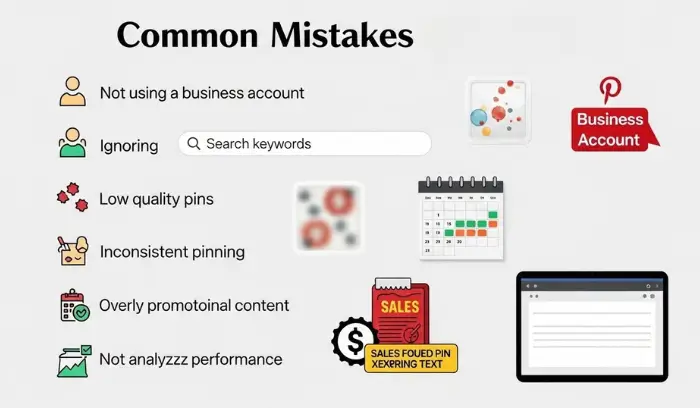
Common Pinterest Mistakes Beginners Make
When starting out on Pinterest, it’s easy to make mistakes that can limit your traffic and engagement. Avoiding these common pitfalls helps beginners grow faster and get better results.
1. Not Using a Business Account
Many beginners stick with personal accounts, missing out on Pinterest Analytics, Rich Pins, and website claiming features. A business account gives you the tools to track performance and optimize content for traffic.
2. Ignoring Keywords
Pinterest is a search-driven platform, so neglecting keywords in your pins, titles, descriptions, and boards can make your content invisible. Research relevant keywords and use them naturally to improve discoverability.
3. Low-Quality Pins
Blurry, cluttered, or poorly designed pins don’t get clicks or saves. Focus on high-quality vertical images, clear text overlays, and professional-looking visuals.
4. Inconsistent Pinning
Posting sporadically can limit your reach. Pinterest rewards consistent activity, so create a pinning schedule and stick to it.
5. Overly Promotional Content
Pins that are too salesy or pushy often get ignored. Focus on providing value, inspiration, or solutions, then naturally guide users to your website or product.
6. Not Analyzing Performance
Without monitoring your analytics, you won’t know what works. Track metrics like clicks, saves, and impressions, and adjust your strategy to maximize traffic.
By avoiding these mistakes, beginners can save time, grow their audience faster, and make Pinterest a reliable traffic source.
Content Mistakes That Hurt Traffic
Beginners often unknowingly create content that limits their Pinterest traffic. Avoiding these common mistakes can help your pins get more visibility, clicks, and saves.
1. Using Generic or Vague Titles
Pins with unclear titles like “Blog Tips” or “Fun Ideas” don’t attract clicks. Use specific, keyword-rich titles that clearly explain what the user will gain.
2. Ignoring Descriptions
Many beginners skip pin descriptions or write them without keywords. A well-crafted description boosts Pinterest SEO, improves discoverability, and encourages users to click through.
3. Posting Low-Quality Images
Blurry, pixelated, or crowded images reduce engagement. Always use high-resolution vertical images (2:3 ratio) and simple, clean designs.
4. Not Matching Content to Audience Intent
Pins that don’t solve a problem or provide value often get ignored. Understand what your audience is searching for and create pins that meet that need.
5. Forgetting About Pin Diversity
Using only one type of pin (like a static image) can limit reach. Mix images, infographics, videos, and carousel pins to appeal to different users and improve engagement.
6. Posting Without a Plan
Random pinning without a strategy can confuse Pinterest’s algorithm and reduce reach. Use a content calendar to post consistently and strategically.
By avoiding these content mistakes, beginners can increase traffic, get more engagement, and improve long-term Pinterest growth.
Technical Setup Mistakes to Avoid
Even if your pins look great, technical setup errors can prevent your content from reaching its full potential. Beginners often overlook these critical elements, which can hurt traffic and visibility.
1. Not Claiming Your Website
Claiming your website connects your content to your Pinterest account, enabling Rich Pins and analytics. Without it, Pinterest may not prioritize your pins or track traffic properly.
2. Ignoring Rich Pins
Rich Pins automatically pull extra information from your website (like article titles, product details, or recipe info) and make your pins more engaging. Not enabling Rich Pins can reduce clicks and engagement.
3. Unorganized Boards
Boards that are messy, irrelevant, or poorly titled make it harder for Pinterest to categorize your pins. Use clear, keyword-focused board titles and descriptions to help Pinterest understand your content.
4. Missing Keywords in Boards and Pins
Pinterest uses keywords to match content to search queries. Leaving out targeted keywords in your boards, pins, and descriptions limits your reach.
5. Neglecting Pin Sizes and Formats
Using horizontal images or improper aspect ratios can reduce pin engagement. Stick to vertical pins with a 2:3 aspect ratio for best results.
6. Not Linking Pins Correctly
Every pin should link directly to a relevant page on your website or blog. Broken links or linking to irrelevant pages can frustrate users and lower engagement.
By avoiding these technical mistakes, beginners can ensure Pinterest properly indexes their content, improves SEO, and maximizes traffic potential.
Tools to Boost Your Pinterest Growth
Using the right tools can make Pinterest easier, faster, and more effective—especially for beginners. From designing eye-catching pins to scheduling posts and analyzing performance, these tools help you grow traffic and save time.
1. Design Tools
Creating high-quality pins is essential for engagement. Tools like Canva, Adobe Express, and PicMonkey let you design vertical pins, add text overlays, and create branded templates. With these tools, even beginners can produce professional-looking pins that stand out.
2. Scheduling Tools
Consistency is key on Pinterest, and scheduling tools make it simple. Platforms like Tailwind or Pinterest’s native scheduler allow you to plan pins, maintain a steady posting frequency, and post at optimal times to reach your audience.
3. Analytics and Research Tools
Tools like Pinterest Analytics, Tailwind Insights, and SEMrush help you track which pins perform best, understand your audience, and discover trending keywords. Analytics make it easy to adjust your strategy based on data, rather than guessing what works.
4. Automation and Productivity Tools
For beginners managing multiple boards or accounts, tools like IFTTT or Zapier can automate simple tasks, such as sharing new blog posts to Pinterest automatically. This helps you stay consistent without spending hours manually pinning.
By leveraging these tools, beginners can design better pins, stay consistent, track performance, and save time, ultimately accelerating Pinterest growth and driving more traffic to their blog or website.
Design & Scheduling Tools
Creating and posting pins consistently can feel overwhelming for beginners, but the right tools make it much easier. Here’s how to streamline your workflow:
1. Design Tools
High-quality visuals are crucial on Pinterest. Tools like Canva, Adobe Express, and PicMonkey allow you to:
- Create vertical pins with the ideal 2:3 aspect ratio.
- Add text overlays that explain the pin’s value.
- Apply brand colors and templates for consistent visuals.
Even beginners can produce professional-looking pins that stand out in feeds using these tools.
2. Scheduling Tools
Posting consistently improves visibility and signals activity to the Pinterest algorithm. Scheduling tools like Tailwind and Pinterest’s native scheduler help you:
- Plan pins in advance
- Post at optimal times for engagement
- Maintain a steady pinning frequency without spending hours online
These tools save time and keep your content strategy consistent, which is essential for long-term growth.
By using both design and scheduling tools, beginners can create better pins, post consistently, and reach a larger audience more efficiently.
Analytics & Research Tools
Analytics & Research Tools
To grow your Pinterest traffic effectively, it’s important to understand what works and what doesn’t. Analytics and research tools give you insights into your audience, content performance, and trending topics.
1. Pinterest Analytics
Available with a Pinterest Business account, this free tool lets you track:
- Impressions and reach
- Clicks to your website
- Saves and engagement
- Audience demographics and interests
Monitoring these metrics helps beginners see which pins drive traffic and adjust their strategy accordingly.
2. Tailwind Insights
Tailwind provides advanced analytics and trend tracking for Pinterest. With it, you can:
- Identify top-performing pins.
- Discover the best posting times.
- Monitor competitor performance It also integrates scheduling, so that you can analyze and post consistently from one platform.
3. Keyword & SEO Tools
Using tools like SEMrush, Ahrefs, or Ubersuggest helps you find high-traffic keywords to include in pin titles, descriptions, and board names. Researching keywords ensures your content matches what your audience is searching for.
By combining analytics and research tools, beginners can optimize pins, target the right audience, and grow traffic faster. Data-driven decisions are the key to long-term Pinterest success.
Safe Pinterest Download Tools
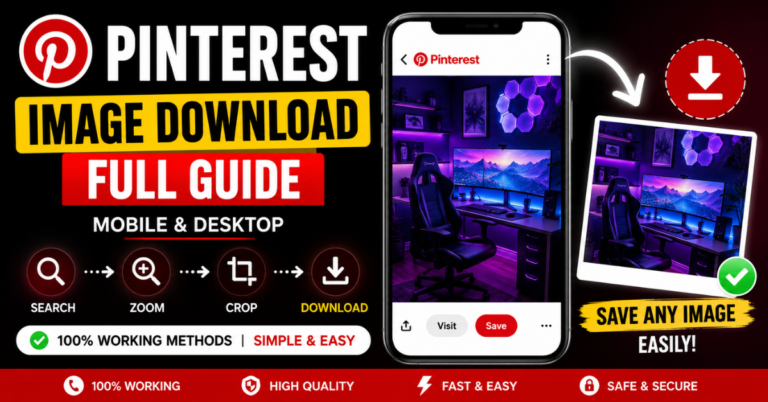
Beginners often want to save or repurpose Pinterest content for inspiration, research, or offline use. Using a safe and reliable Pinterest downloader ensures you can do this without risking malware or violating Pinterest’s guidelines.
One excellent option is PinDownloads, a free and secure tool that allows you to download Pinterest images and videos quickly. It’s beginner-friendly and doesn’t require any technical setup.
By using trusted download tools like this, you can save ideas, create content references, or repurpose visuals safely while staying compliant with Pinterest’s policies. This is a simple way to enhance your Pinterest workflow without wasting time searching for unreliable download methods.
FAQs
How to get more Pinterest traffic?
HowTo grow your Pinterest traffic, start by posting original content with minimal text and bright colours to catch the eye. Make sure your descriptions are clear and packed with keywords that relate to your niche. Use relevant boards and avoid distractions like pictures of faces. Join group boards to increase your reach and stay consistent with your posting. Focus on creating a strong connection between your content and Pinterest to drive traffic effectively. to get more Pinterest traffic?
How to get more views on Pinterest in 2026?
To get more views on Pinterest in 2026, post 1-2 fresh pin images daily, ensuring they are relevant to your niche. Focus on seasonal content and add pins only to relevant boards. Avoid pinning to group boards that are not properly optimized or aligned with your content. Consistency is key—stay active with your pinning and posting regularly to please the algorithm. This will help you increase your reach and visibility, driving more traffic to your account.
How to grow quickly on Pinterest?
To grow quickly on Pinterest, focus on the appropriate metrics like pin conversion stats to understand how well your pins are performing. It’s important to create great pins that capture attention, but also remember to test, refine, and repeat your strategies based on what works. Using time-saving tools for posting can help streamline your process, allowing you to focus more on content creation. By staying consistent and focusing on both the numbers and quality of your pins, you’ll see faster growth on Pinterest.
How to get 1000 followers on Pinterest?
To get 1000 followers on Pinterest, start by optimizing your profile for better search visibility and posting high-quality, vertical pins consistently. Write keyword-rich descriptions for your pins and boards to make them easier to find. You can also create viral contests to increase engagement and join relevant group boards to expand your reach. Make sure to engage with high-traffic pins and active users to boost visibility and build a following.
How do I make my Pinterest pins go viral?
To make your Pinterest pins go viral, start by identifying your target audience and planning content that aligns with current Pinterest trends. Incorporating effective graphics and text overlay will make your pins more engaging. Use the right tools and templates to make your pins stand out. Also, optimizing your pin titles and descriptions with the right keywords will help you rank better in Pinterest’s search engine. By understanding these dynamics, you can increase your chances of going viral.
Conclusion:
Pinterest is a powerful platform for beginners to drive consistent traffic and engage with a highly targeted audience. By focusing on creating high-quality pins, optimizing your profile, and consistently posting relevant content, beginners can quickly grow their reach and followers. Utilizing tools like Pinterest Analytics and scheduling platforms also ensures a more efficient approach, helping to refine strategies and improve performance over time.
The key to success on Pinterest lies in understanding its search engine dynamics and creating pins that resonate with your target audience. By following the right Pinterest SEO practices, engaging with relevant group boards, and continuously refining your strategy, beginners can see a steady increase in traffic and engagement. With persistence and the right approach, Pinterest can become a valuable traffic source for blogs, websites, and online businesses.