
How to Download Pinterest Images on Mobile & Desktop
Ever found the perfect Pinterest image… and then lost it forever because you forgot to save it?
Yeah, it happens more than most people admit.
One minute you’re searching for a simple wallpaper idea, and the next thing you know, you’ve opened 27 Pinterest tabs filled with outfit inspiration, room designs, recipes, aesthetic photos, and business ideas.
But here’s the frustrating part:
A lot of users still don’t know the fastest way to download Pinterest images properly — especially in high quality.
Some people take blurry screenshots. Others use random websites packed with ads. And many users don’t even realize Pinterest already offers easier ways to save images.
So in this guide, I’ll show you the simplest methods to download Pinterest images on both mobile and desktop without losing quality.
You’ll also learn:
- how to save Pinterest photos in HD
- how to download Pinterest wallpapers
- ways to save Pins faster
- common mistakes to avoid
- tips most Pinterest users don’t know
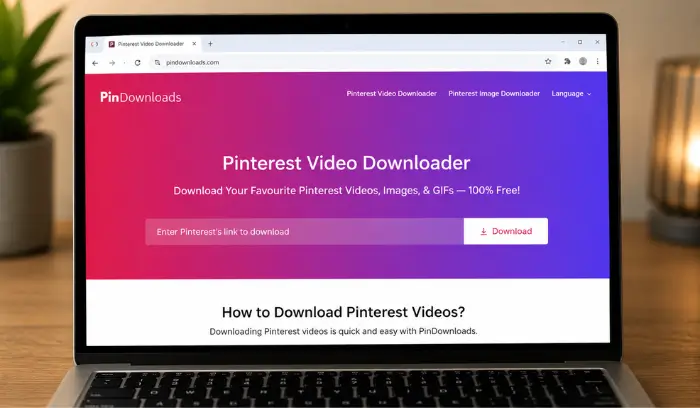
And if you also want to download Pinterest videos, GIFs, or images in one click, you can use PinDownloads.
Why People Download Pinterest Images
Pinterest is basically an endless collection of ideas.
People save Pinterest photos for:
- fashion inspiration
- aesthetic wallpapers
- gaming setup ideas
- recipes
- home décor
- photography poses
- business inspiration
- DIY projects
- art references
Honestly, some users treat Pinterest like a personal mood board.
And because Pinterest updates so fast, many people prefer saving Pins offline before they disappear from their feed.
Can You Download Pinterest Images?
Yes, absolutely.
Pinterest allows users to save many images directly to their phones or computers.
But here’s something most people don’t know:
Not every Pin shows a direct download button.
That’s why it helps to know a few different methods.
Quick Tip:
If you want better image quality, always try downloading the original image instead of taking screenshots.
Also, if you want sharper downloads, this guide on How to Save High Quality Pinterest Images explains extra tricks that improve image quality.
How to Download Pinterest Images on Mobile
Saving Pinterest images on mobile is very easy once you know where the download option is hidden.
The process is almost the same for Android and iPhone.
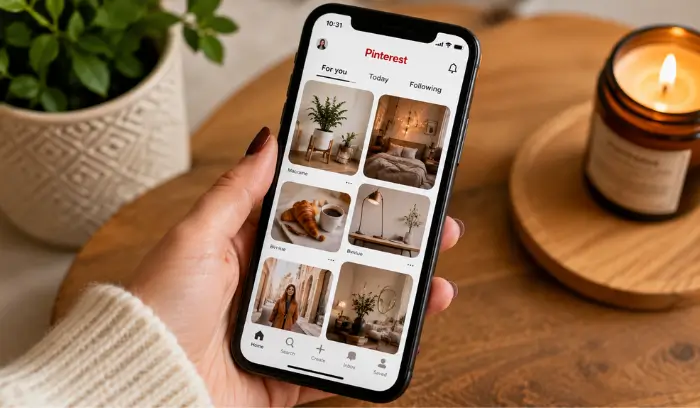
Step 1: Open the Pinterest App
First, open Pinterest on your phone.
If you don’t already have the app installed, download it from:
- Google Play Store
- Apple App Store
Step 2: Search for Any Image
Use the search bar to find the image you want.
Popular searches include:
- Pinterest wallpapers
- outfit ideas
- kitchen inspiration
- anime wallpapers
- luxury bedrooms
Pinterest will instantly show related Pins.
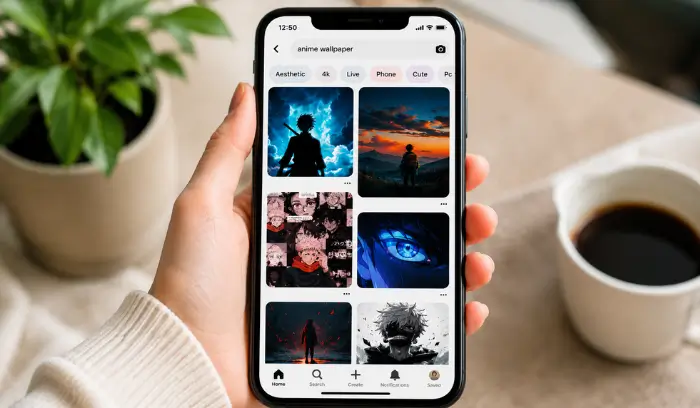
Step 3: Open the Image
Tap on the image to open it fully.
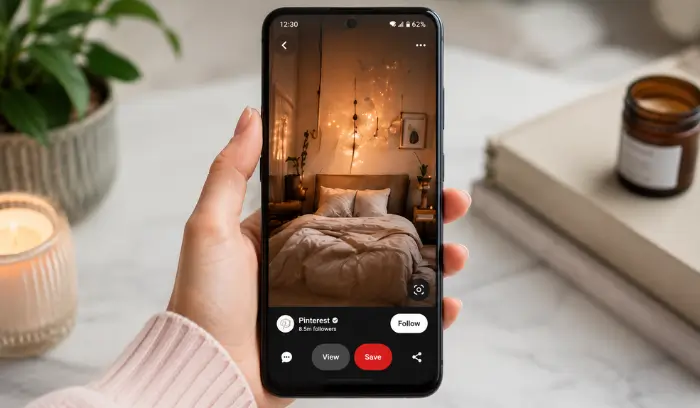
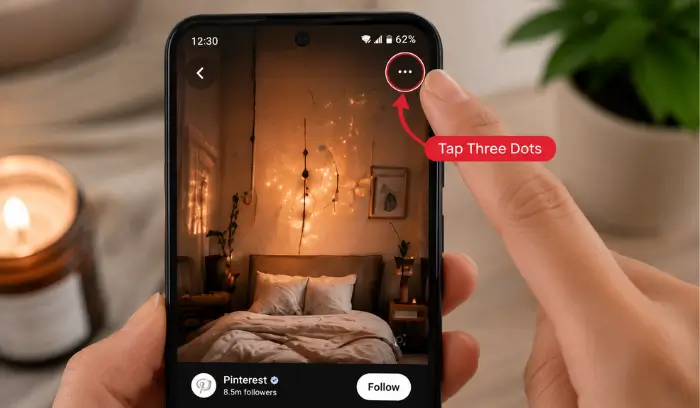
Step 4: Tap the Three Dots
Now look at the top-right corner.
You’ll see a small three-dot icon.
Tap it.
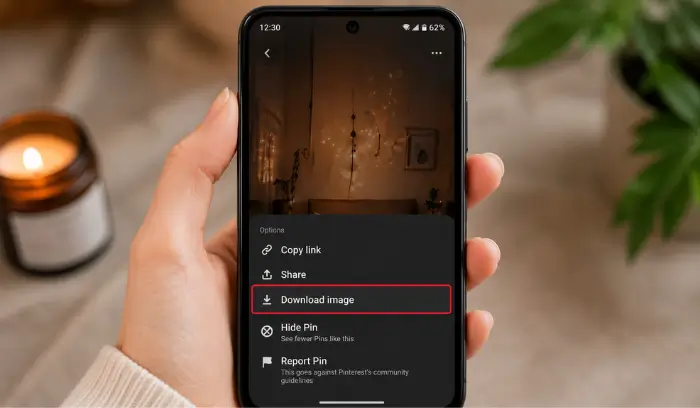
Step 5: Tap “Download Image”
Now press:
Download Image
The image will automatically save to your gallery.
What If Pinterest Doesn’t Show the Download Button?
This is super common.
Sometimes Pinterest hides the download option depending on the Pin source.
But don’t panic.
There’s still an easy workaround.
Method 2: Save Pinterest Images with Screenshot
A lot of Pinterest users still use this method daily.
And honestly, it works surprisingly well.
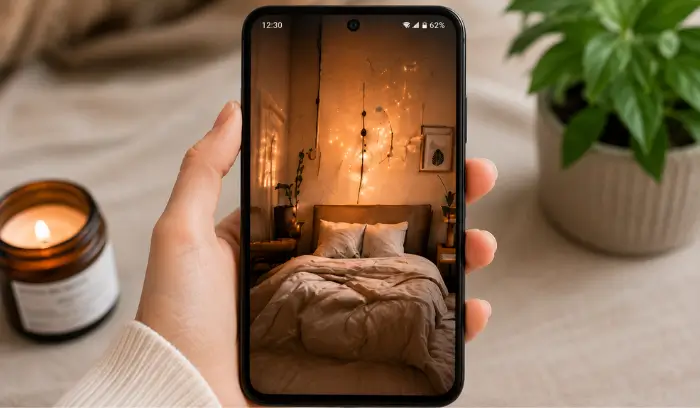
Step 1: Open the Pin in Full Screen
Make the image fit your screen properly.
Zoom slightly if needed.
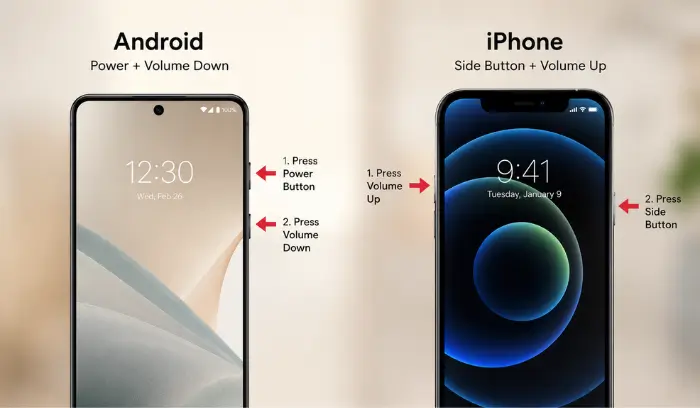
Step 2: Take a Screenshot
Android:
Press:
- Power + Volume Down
iPhone:
Press:
- Side Button + Volume Up
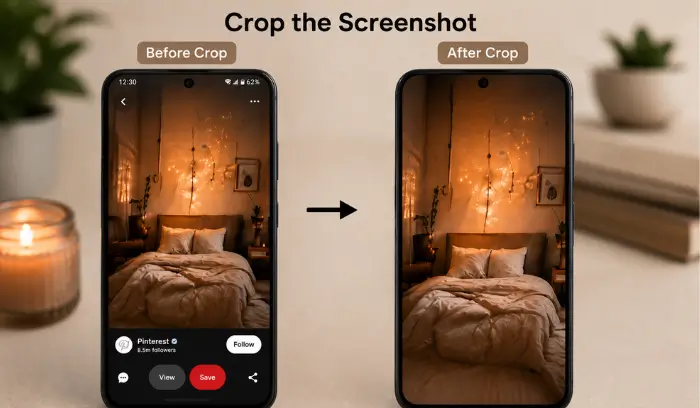
Step 3: Crop the Screenshot
Open your gallery and remove extra Pinterest elements.
Now you have a clean Pinterest image saved.
How to Download Pinterest Images on Desktop
Downloading Pinterest photos on desktop is actually easier than mobile.
And in many cases, the quality is better too.
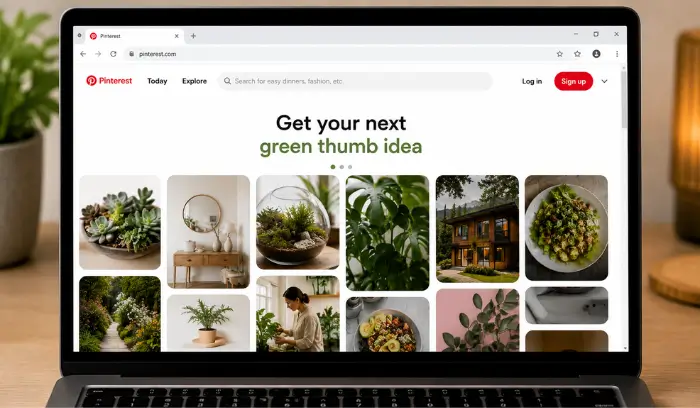
Step 1: Open Pinterest Website
Go to Pinterest using your browser.
Chrome or Edge works best.
Step 2: Search for an Image
Type your keyword into the search bar.
Examples:
- modern gaming room
- aesthetic desk setup
- logo inspiration
- coffee photography
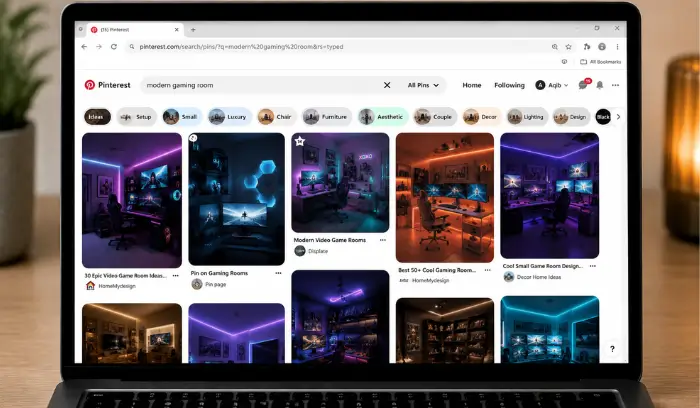
Step 3: Open the Image
Click any image you want to save.
It will open in a large size.
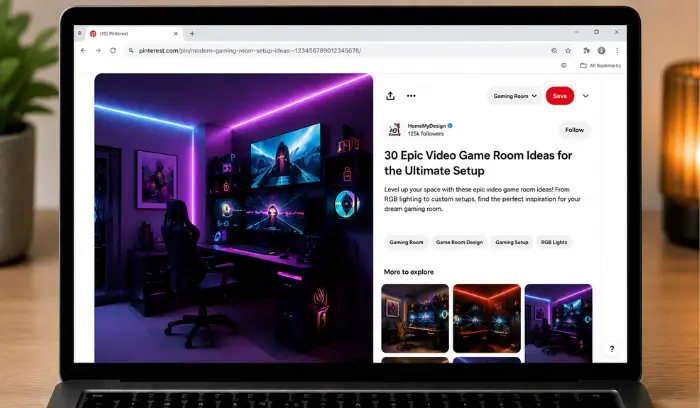
Step 4: Click the Three Dots
You’ll find the three-dot menu near the Pin.
Click it.

Step 5: Click “Download Image”
Now simply click:
Download Image
The image will save directly into your Downloads folder.
How to Download Pinterest Images in HD Quality
Here’s the thing most users never realize:
Pinterest sometimes compresses images slightly.
That’s why downloaded Pins can occasionally look blurry.
Luckily, there are ways to avoid this.
Open the Original Source
Many Pins link back to the creator’s website.
If image quality matters, open the original source and download the image there.
Avoid Repeated Screenshots
Every screenshot lowers image quality slightly.
If possible, use:
- Pinterest download option
- original image source
- Pinterest downloader tools
Use Pinterest Downloader Tools
If you want faster downloads for:
- Pinterest images
- Pinterest videos
- Pinterest GIFs
then tools like PinDownloads can help save content quickly.
Common Problems While Downloading Pinterest Images
Let’s quickly fix the most common issues users face.
Pinterest Image Not Downloading
Try:
- refreshing Pinterest
- updating the app
- restarting your phone
- checking storage space
Downloaded Image Looks Blurry
This usually happens because:
- screenshots were used
- the original image was low quality
- Pinterest compressed the image
For sharper downloads, check this guide on saving high-quality Pinterest images.
Pinterest App Keeps Crashing
Try:
- clearing app cache
- reinstalling Pinterest
- updating your phone software
Most Popular Pinterest Images People Save
Pinterest has millions of categories, but some are far more popular than others.
Fashion Inspiration
People constantly save:
- streetwear outfits
- traditional dresses
- summer collections
- minimalist fashion
Wallpapers
Wallpapers are massive on Pinterest.
Especially:
- anime wallpapers
- dark aesthetic wallpapers
- car wallpapers
- iPhone backgrounds
Home Decoration
Pinterest is full of room inspiration.
Popular searches include:
- modern bedrooms
- luxury kitchens
- office setups
- gaming rooms
Food & Recipes
Food content performs extremely well on Pinterest.
Especially:
- desserts
- coffee photography
- bakery ideas
- healthy meals
Is It Legal to Download Pinterest Images?
For personal use, usually yes.
But using someone else’s content for:
- ads
- products
- websites
- business marketing
without permission can create copyright issues.
So always respect creators and photographers.
Tips to Organize Downloaded Pinterest Images
Once you start saving lots of Pins, your gallery becomes messy very quickly.
A simple fix?
Create folders like:
- Wallpapers
- Outfit Ideas
- Business Inspiration
- Recipes
- Pinterest Content Ideas
It saves a lot of time later.
Pinterest SEO Is Growing Fast
A lot of bloggers and businesses now use Pinterest for traffic generation.
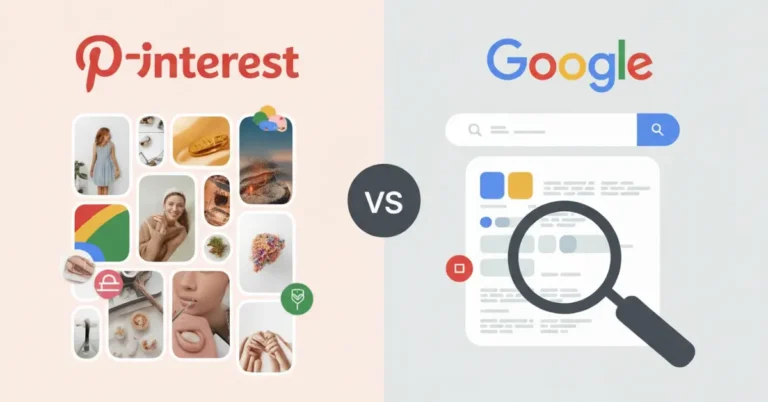
And honestly, Pinterest SEO is becoming almost as important as Google SEO.
If you’re curious about how Pinterest rankings work, this guide on How Pinterest Algorithm Works in 2026 explains it in simple language.
FAQs
Can I Download Pinterest Images Without an Account?
Yes, but some download features work better after logging in.
Does Pinterest Notify When You Save Images?
No, Pinterest does not notify creators when someone downloads their images.
Why Are Pinterest Images Blurry?
Usually because:
Screenshots reduce quality
Pinterest compresses images
Original uploads were low resolution
Can I Download Pinterest Videos Too?
Yes.
You can download Pinterest videos, GIFs, and images using Pinterest downloader tools online.
Final Thoughts
Pinterest is honestly one of the best places online for discovering ideas.
Whether you’re looking for wallpapers, fashion inspiration, recipes, gaming setups, or business content, there’s always something worth saving.
And now you know exactly how to download Pinterest images on both mobile and desktop without confusion.
The best part?
Once you learn the proper methods, saving Pinterest photos becomes incredibly fast and easy.
Just remember:
- use high-quality sources
- stay organized
- respect creator copyrights
- avoid spammy download websites
Now go save those Pinterest ideas before they disappear from your feed again.